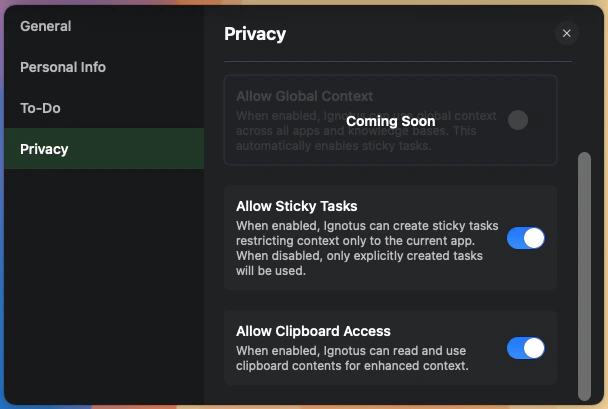
No user data is stored on Logical servers. All your information, including Knowledge Bases, to-do items, and application data, remains exclusively on your local device.The only time data leaves your device is when it’s sent to third-party LLM service providers for processing your queries and requests. This data transmission is governed by our privacy policy and only includes the minimal information necessary to provide you with relevant assistance.
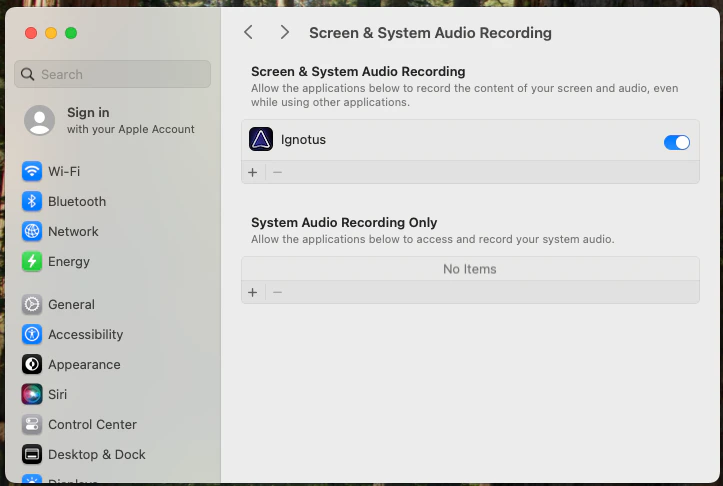
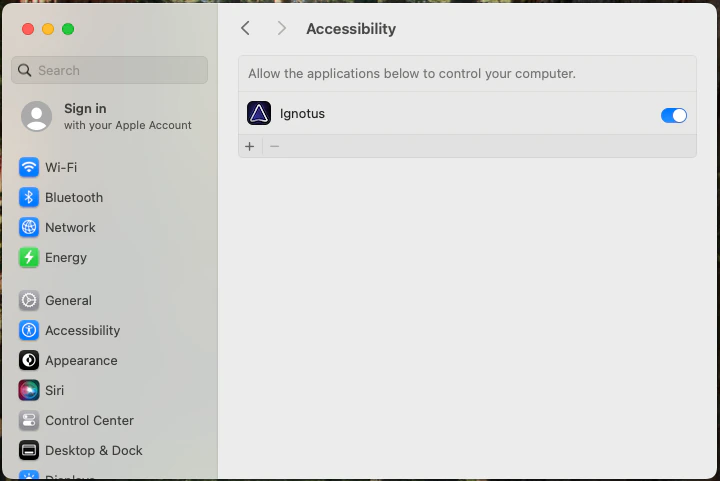
Logical needs specific system permissions to function properly. These permissions are requested when you first launch the application and represent the minimal access required for core functionality.
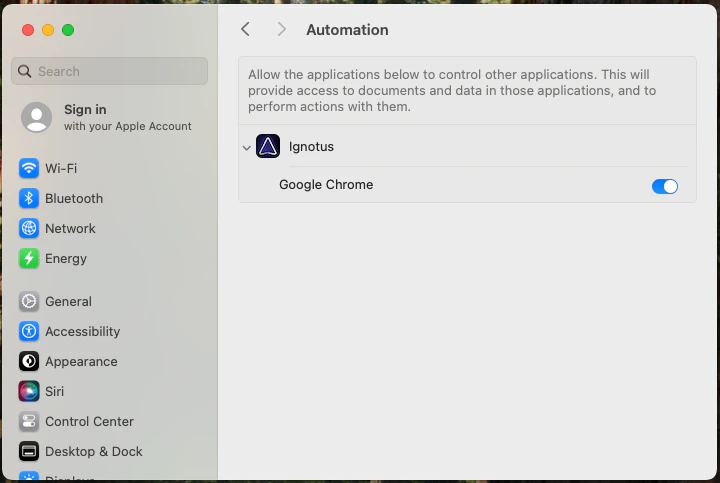
Beyond the core permissions, Logical may request additional automation permissions on a per-application basis. These are only requested when Logical detects that an application could provide richer context or action support.
App-specific automation permission request.
Examples include:
Automating form filling in web browsers
Extracting structured data from documents
Performing actions in productivity applications
These additional permissions are entirely optional and only enhance Logical’s capabilities with specific applications. Core functionality works without them.
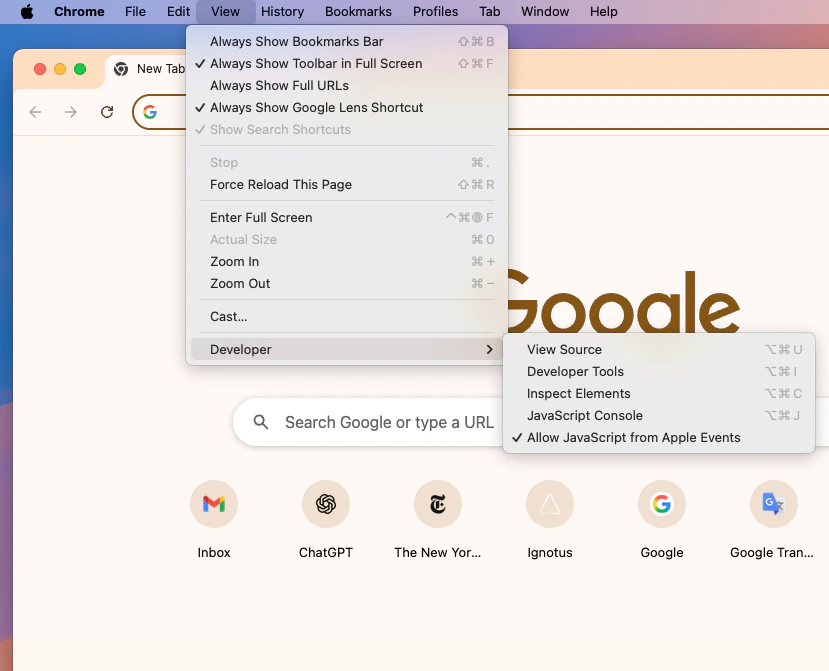
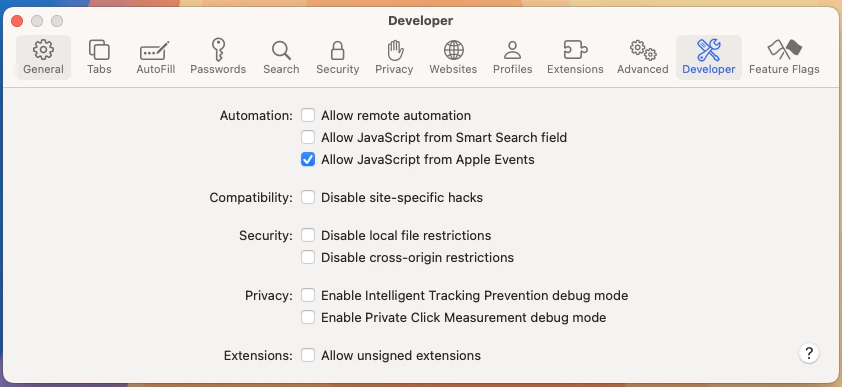
For optimal integration with web applications (especially email services like Gmail or Outlook Online), you should enable “Allow JavaScript from Apple Events” in your browser settings.
Chrome/Edge
Safari
Navigate to Settings > Privacy and Security > Site Settings > Additional Content Settings > JavaScript from Apple Events and enable it for enhanced email and web app integration.
Chrome JavaScript from Apple Events setting.
In Safari preferences, ensure that the equivalent automation permissions are enabled for web applications to work seamlessly with Logical.
Safari automation permissions.
This permission allows Logical to better understand and interact with web-based applications, particularly for email management and form automation.
Users can filter out arbitary apps and websites from monitoring just by clicking the hide button. This prevents Logical from analyzing content from those applications or web pages.
Our complete privacy policy, including detailed information about data handling and third-party integrations, can always be found at trylogical.ai/privacy.