Logical can understand and execute commands that span multiple applications. By grouping different app windows into a Task, you provide Logical with the necessary context to perform complex, multi-step operations seamlessly.Once you have a Task set up, you can give Logical commands in natural language, and it will orchestrate the actions between the designated windows.
Performing actions across multiple applications requires an active Task. For a detailed guide on creating and managing Tasks, please see our Tasks documentation.
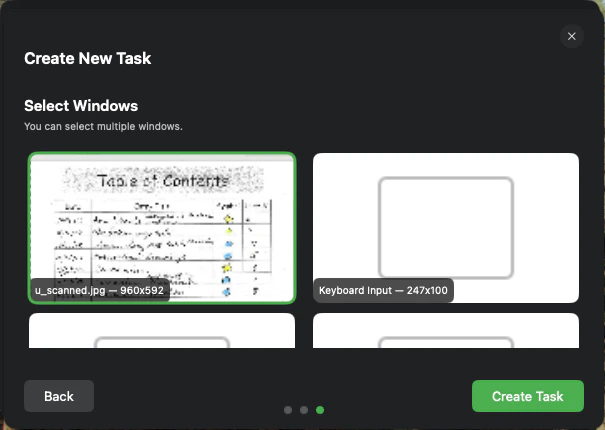
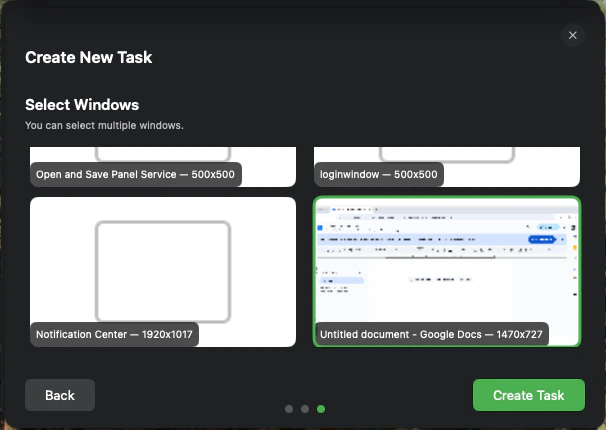
First, group the relevant application windows together into a named Task. For example, a Task for form-filling might include a window with a scanned image and another window with Adobe Acrobat.
A Task combines multiple application windows into a single context.
Select additional windows to include in the Task.
2
Give a Natural Language Command
With the Task active, you can give Logical a high-level command related to the windows in that Task. You don’t need to specify which window contains which piece of information; Logical understands the context you’ve provided.
3
Logical Executes the Action
Logical will analyze your command, look at the content of the windows within the active Task, and perform the requested action. This might involve reading data from one window and inputting it into another.
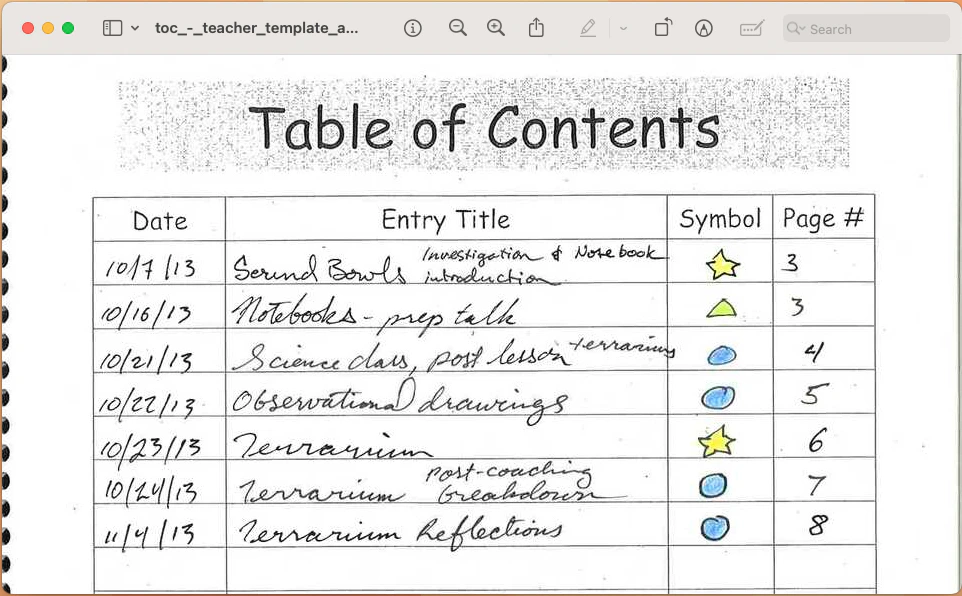
Create a Task that includes a window with your handwritten note and another with a blank document.
A handwritten note containing a table.
2
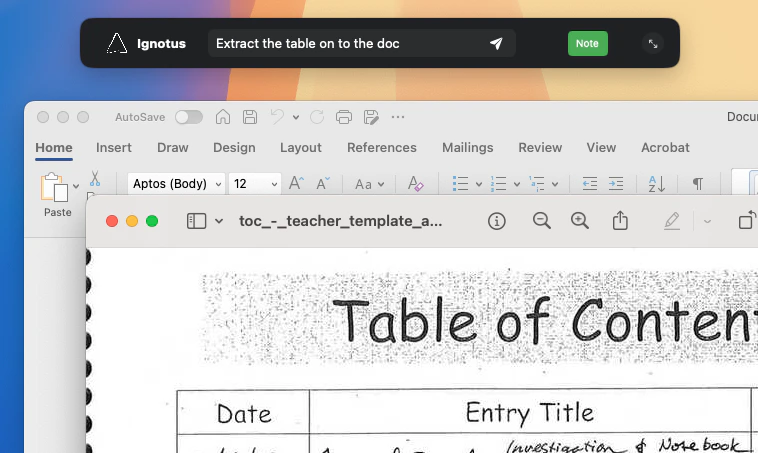
Give the Command
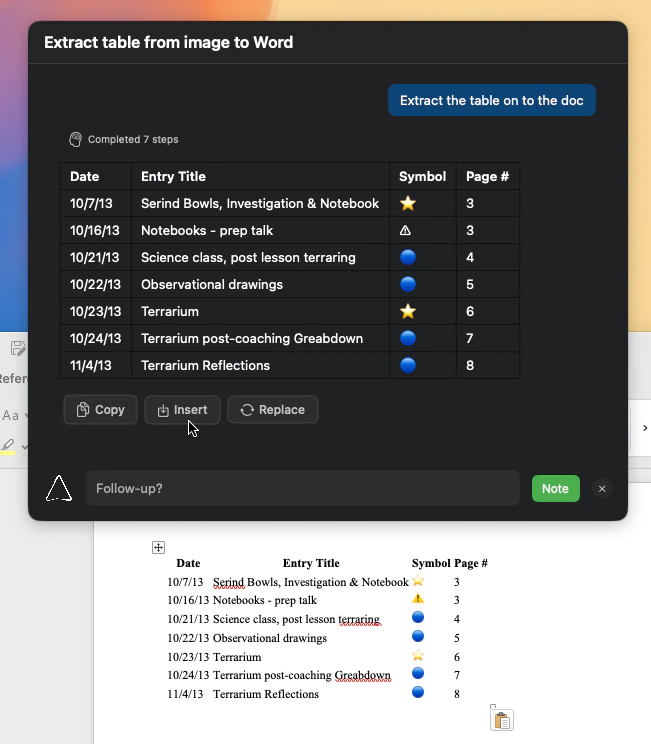
Type a command like: "Extract the table on to the doc". There’s no need to be higly descriptive; Logical is intelligent enough to understand what you mean with a minimal prompt.
Type a command like: Extract the table on to the doc
3
Result
Logical uses OCR to read the handwritten table, then formats and inserts it as a digital table in the Word document.
A handwritten table is automatically converted into a digital table in Microsoft Word.