> ## Documentation Index
> Fetch the complete documentation index at: https://docs.logical.io/llms.txt
> Use this file to discover all available pages before exploring further.
# Integrations
> Discover which applications work best with Logical and their specialized features.
Logical works with virtually any application on your Mac, but some apps have specialized integrations that unlock enhanced functionality and deeper assistance.
## Web Browsers
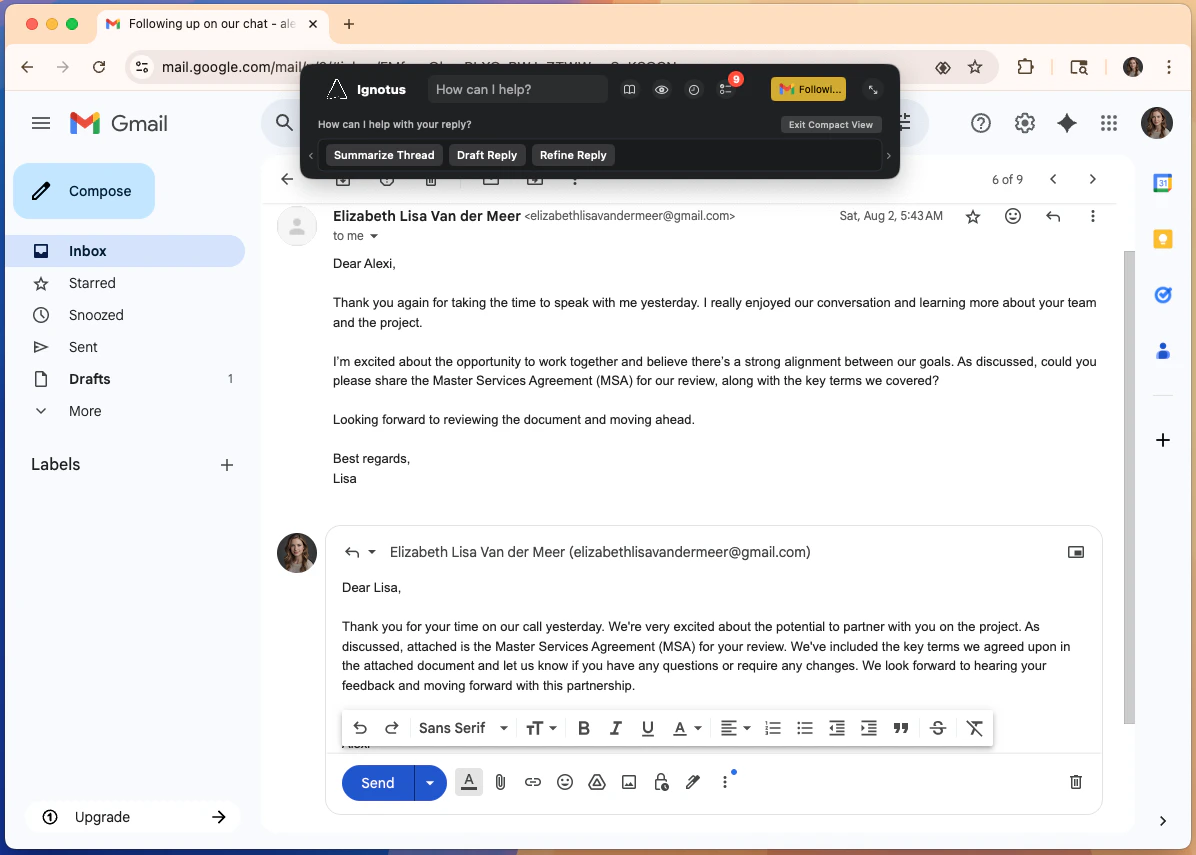
Logical works best with modern web browsers and provides specialized features for email management.
**Full Support** - Complete integration with all Logical features.
**Specialized Features**:
* Gmail assistance (compose, reply, organize)
* Outlook Online support
* Advanced form automation
* Enhanced web app integration
 **Core Support** - Full context understanding and basic automation.
**Current Limitations**:
* Specialized Gmail and Outlook assistance coming soon
* Basic web app integration available
Gmail and Outlook specialized assistance is currently Chrome-exclusive but will expand to other browsers soon.
## Productivity Applications
### Microsoft Excel
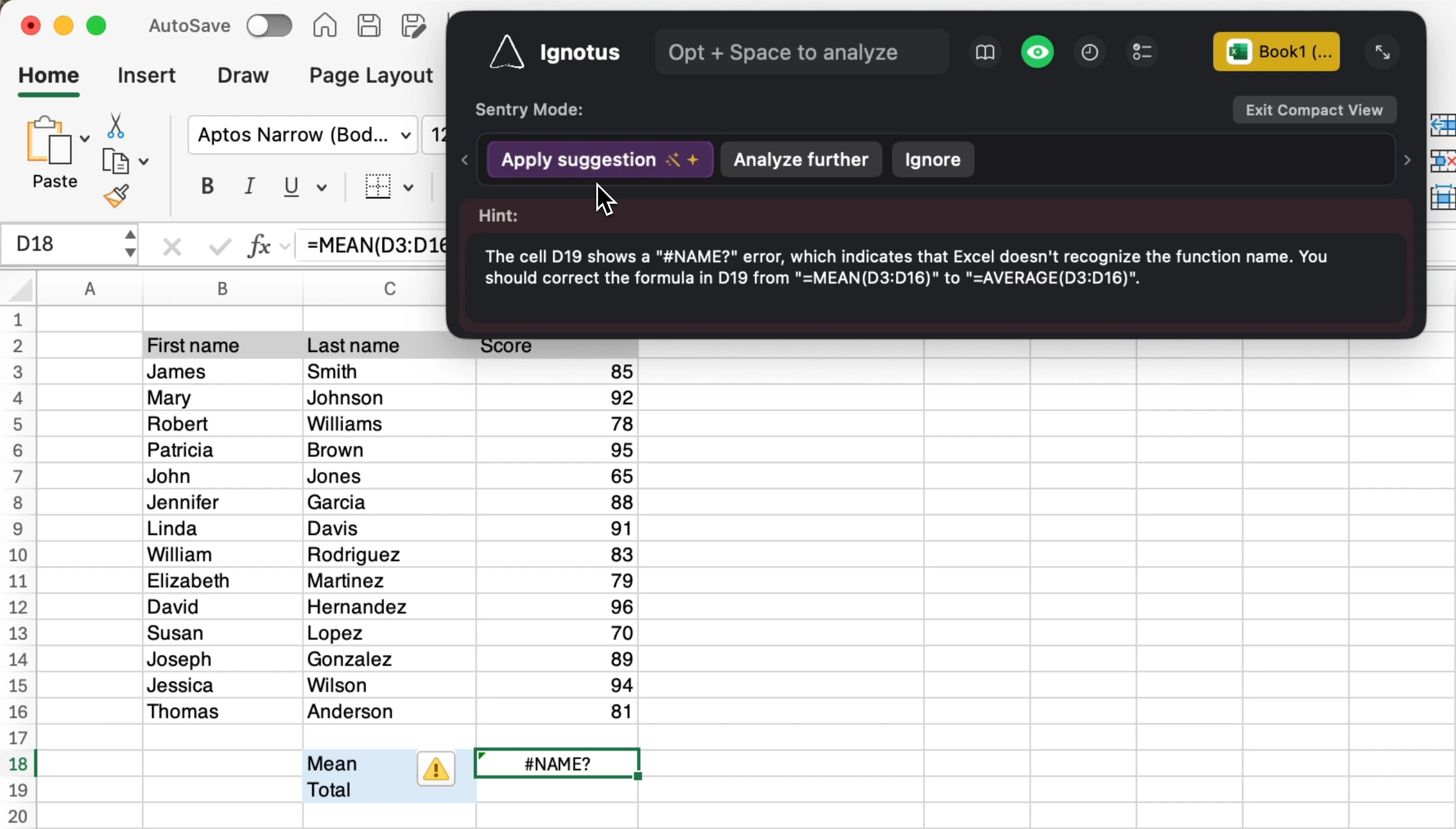
**Desktop Version Support** - Works with Excel for Mac to provide intelligent spreadsheet assistance.
**Key Features**:
* **Error Analysis**: Identify and explain formula errors
* **Smart Suggestions**: Recommend formulas and data improvements
* **Formula Generation**: Create complex formulas from natural language
* **Sentry Mode**: Proactive monitoring for spreadsheet issues
**Core Support** - Full context understanding and basic automation.
**Current Limitations**:
* Specialized Gmail and Outlook assistance coming soon
* Basic web app integration available
Gmail and Outlook specialized assistance is currently Chrome-exclusive but will expand to other browsers soon.
## Productivity Applications
### Microsoft Excel
**Desktop Version Support** - Works with Excel for Mac to provide intelligent spreadsheet assistance.
**Key Features**:
* **Error Analysis**: Identify and explain formula errors
* **Smart Suggestions**: Recommend formulas and data improvements
* **Formula Generation**: Create complex formulas from natural language
* **Sentry Mode**: Proactive monitoring for spreadsheet issues
 ### Adobe Acrobat
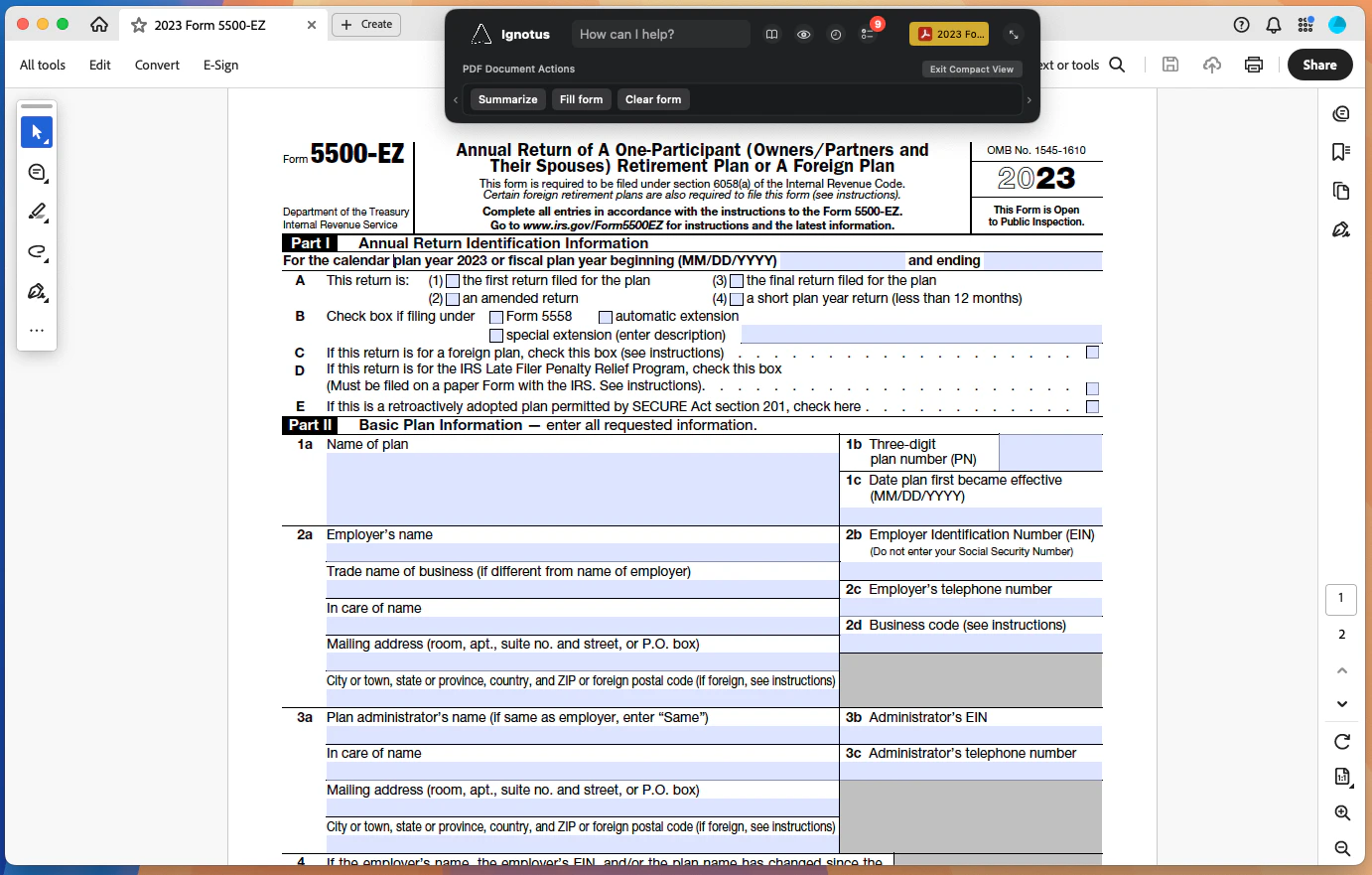
**PDF Form Intelligence** - Advanced form handling and document processing.
**Specialized Actions**:
* **Smart Form Filling**: Intelligently populate forms from context
* **Document Summarization**: Extract key information from PDFs
* **Form Management**: Clear forms, validate entries, format data
* **Content Extraction**: Pull structured data from documents
### Adobe Acrobat
**PDF Form Intelligence** - Advanced form handling and document processing.
**Specialized Actions**:
* **Smart Form Filling**: Intelligently populate forms from context
* **Document Summarization**: Extract key information from PDFs
* **Form Management**: Clear forms, validate entries, format data
* **Content Extraction**: Pull structured data from documents
 ## Communication Platforms
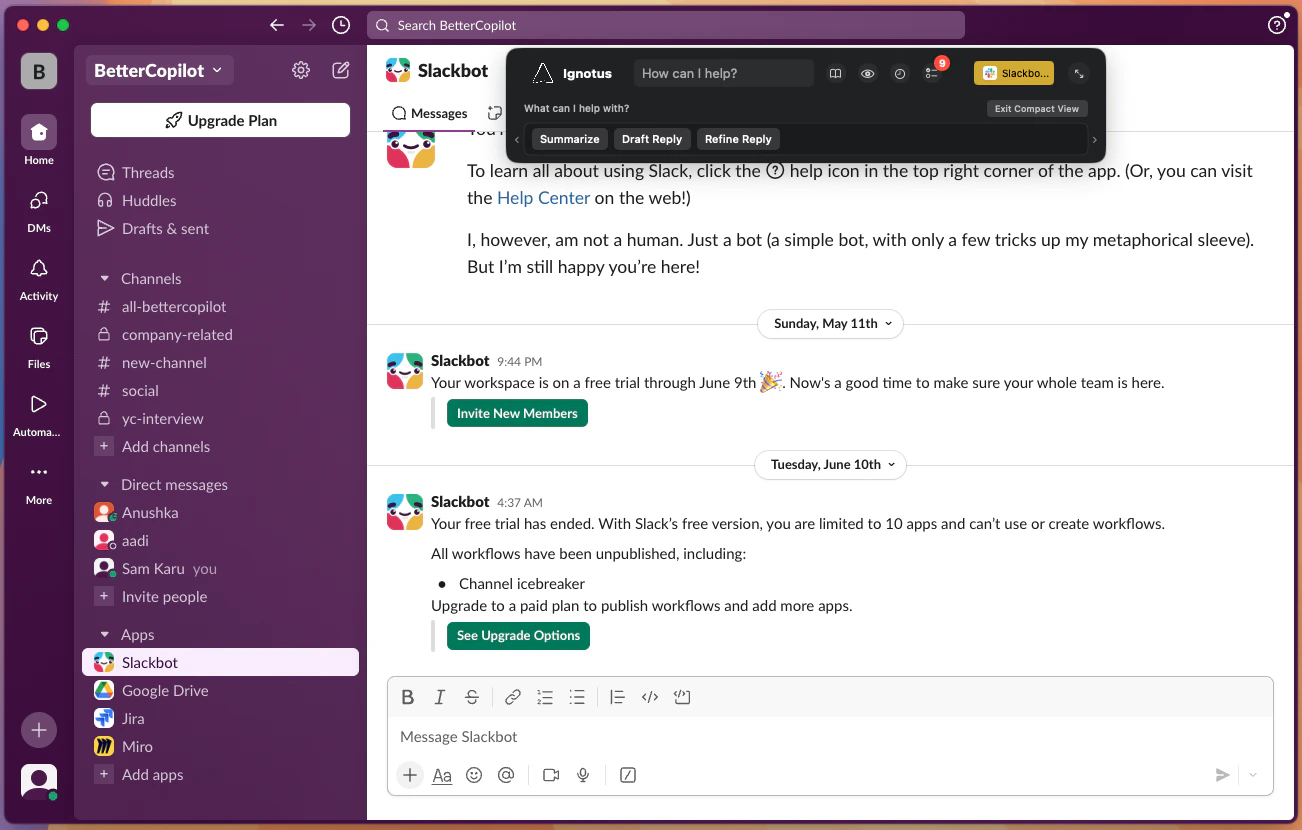
Logical provides context-aware assistance across all major messaging and communication platforms.
### Supported Platforms
* **Slack** - Message composition, thread management, channel insights
* **Microsoft Teams** - Meeting summaries, chat assistance, file sharing
## Communication Platforms
Logical provides context-aware assistance across all major messaging and communication platforms.
### Supported Platforms
* **Slack** - Message composition, thread management, channel insights
* **Microsoft Teams** - Meeting summaries, chat assistance, file sharing
 * **Telegram** - Message drafting and media sharing assistance
* **Discord** - Community management and conversation insights
* **WhatsApp** - Quick replies and message organization
* **iMessage** - Smart responses and attachment handling
## Universal Features
Regardless of the specific application, Logical provides these core capabilities:
* **Screen Analysis** - Understand content in any application
* **Context Switching** - Seamless transitions between apps
* **Cross-App Actions** - Perform tasks spanning multiple applications
* **Sentry Mode** - Proactive monitoring and suggestions
Don't see your favorite app listed? Logical works with virtually any Mac application. These are just the ones with specialized, enhanced integrations.
* **Telegram** - Message drafting and media sharing assistance
* **Discord** - Community management and conversation insights
* **WhatsApp** - Quick replies and message organization
* **iMessage** - Smart responses and attachment handling
## Universal Features
Regardless of the specific application, Logical provides these core capabilities:
* **Screen Analysis** - Understand content in any application
* **Context Switching** - Seamless transitions between apps
* **Cross-App Actions** - Perform tasks spanning multiple applications
* **Sentry Mode** - Proactive monitoring and suggestions
Don't see your favorite app listed? Logical works with virtually any Mac application. These are just the ones with specialized, enhanced integrations.